How to Use Scrapfly: Web Scraping API, Cloud Browser & Screenshot API
Learn how to use Scrapfly's unified API for web scraping, cloud browser automation, and screenshot capture. Step-by-step setup, code examples, and practical workflows.
How to Use Scrapfly: Web Scraping API, Cloud Browser & Screenshot API
Scrapfly consolidates web scraping, stealth browser control, and screenshot capture into a single API key. Instead of juggling separate services for proxies, headless browsers, and data extraction, you send one request and get back clean HTML, a rendered screenshot, or a live Chrome DevTools Protocol (CDP) session. This guide walks through the core products, shows you how to make your first call, and explains when to use each endpoint.
What Scrapfly Offers Under One API Key

SocialEcho.
Before writing code, it helps to understand the three main pillars. Each solves a different part of the web data pipeline, and they share the same credit pool and authentication.
Web Scraping API
The scraping endpoint is the workhorse for fetching page content. You supply a URL, and Scrapfly handles rotating proxies, TLS fingerprint alignment, and JavaScript rendering when needed. The response includes the full HTML, a Markdown version, and metadata about the scrape session.
A minimal request looks like this:
curl -X POST "https://api.scrapfly.io/scrape" \
  -H "Content-Type: application/json" \
  -d '{
    "url": "https://example.com",
    "key": "YOUR_API_KEY"
  }'
The asp=True parameter enables anti-bot bypass, which is essential for sites behind Cloudflare, DataDome, or similar protection. You can toggle JavaScript rendering with render_js=True and choose between datacenter or residential proxies depending on the target's sensitivity.
Cloud Browser (CDP)
For workflows that need real interaction—clicking elements, filling forms, scrolling through infinite-load pages—the Cloud Browser gives you a WebSocket endpoint for a stealth Chromium instance. It is fully compatible with Playwright and Puppeteer, so existing scripts port over with minimal changes.
Connect to the browser with:
wss://browser.scrapfly.io/cdp?key=YOUR_API_KEY
You can specify fingerprint profiles, geographic exit nodes, and viewport dimensions through query parameters or the launch options in your automation library. This is particularly useful for AI agents that need to explore pages autonomously. Platforms like AdsCrawl also offer cloud browser sessions with fingerprint profiles, but Scrapfly's CDP endpoint is tightly integrated with its anti-bot stack, which can reduce the maintenance burden when targets update their defenses.
Screenshot API
The screenshot endpoint captures full-page, viewport, or element-level images. It supports PNG, JPEG, and WebP formats, and includes quality-of-life features like automatic cookie-banner dismissal, ad blocking, and auto-scroll to trigger lazy-loaded content.
A basic screenshot request uses a GET call for simplicity:
https://api.scrapfly.io/screenshot?url=https://example.com&key=YOUR_API_KEY
Add format=webp for smaller file sizes, options=block_banners to clean up the page, or auto_scroll=true to ensure all images load before capture. The response is the image binary, and metadata such as cost and remaining credits appear in the response headers.
Step-by-Step: Your First Scrape
Let's walk through a complete example using Python. The same pattern applies to Node.js, Go, and Rust with the official SDKs.
1. Get Your API Key
Sign up on the Scrapfly website to receive 1,000 free credits. No credit card is required, and the free tier gives you access to every product so you can test the full stack.
2. Install the SDK
pip install scrapfly-sdk
3. Make a Scrape Request
from scrapfly import ScrapflyClient, ScrapeConfig

client = ScrapflyClient(key="YOUR_API_KEY")

response = client.scrape(
    ScrapeConfig(
        url="https://web-scraping.dev/product/1",
        asp=True,          # anti-bot bypass
        render_js=True,    # execute JavaScript
        country="us"       # residential proxy location
    )
)

print(response.result.content)  # full HTML
print(response.result.markdown) # clean Markdown
print(response.result.status_code)
4. Review the Dashboard
Every request is logged in the Scrapfly dashboard. You can replay failed scrapes, inspect response headers, and monitor your credit consumption. The X-Scrapfly-Api-Cost header tells you exactly how many credits each call used, and failed bypasses cost zero credits.
Taking Screenshots Programmatically
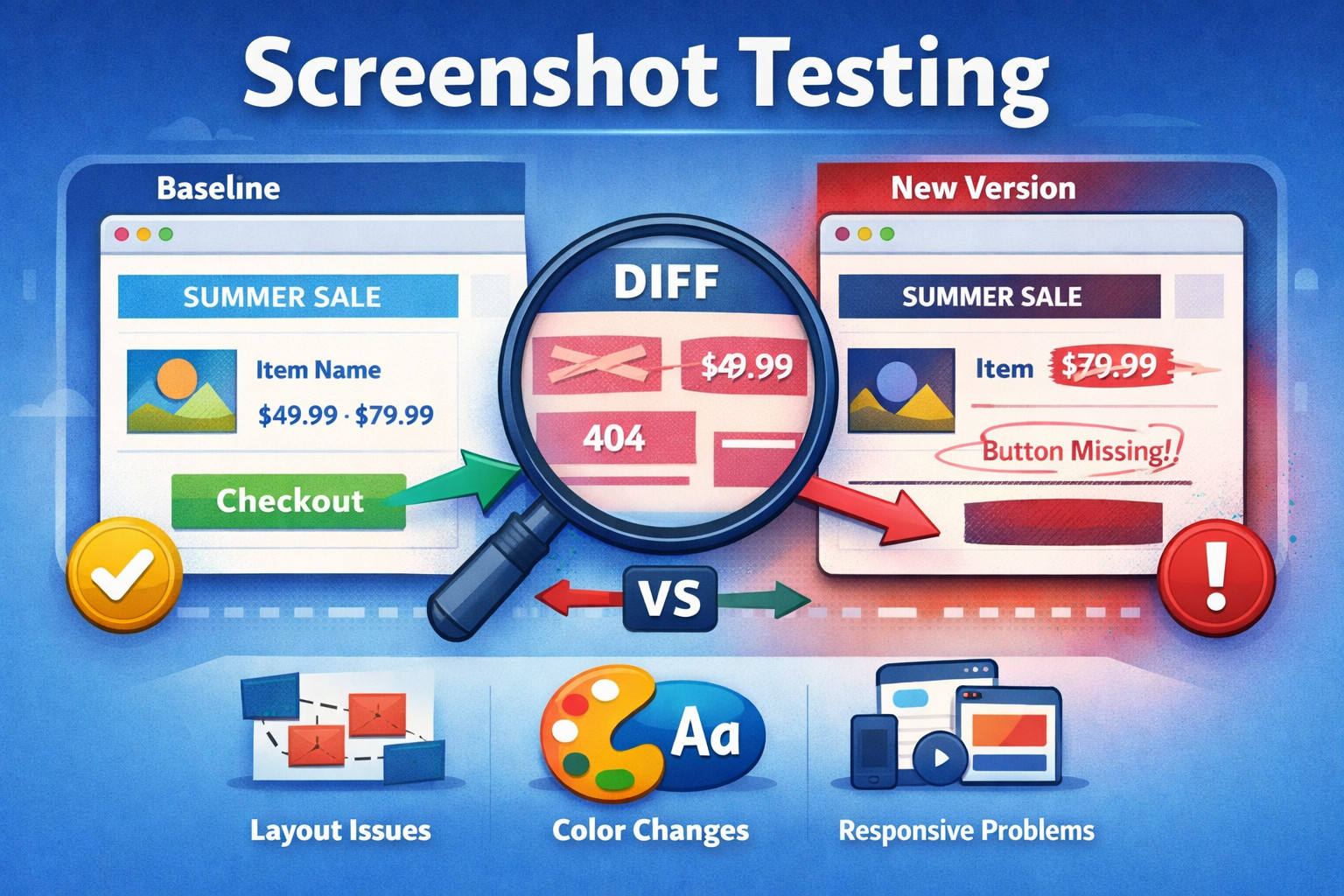
How to Use Scrapfly: Web Scraping API, Cloud Browser & Screenshot API - Taking Screenshots Programmatically.
Screenshots are useful for visual regression testing, capturing dynamic charts, or archiving page states. Here is how to capture a full-page screenshot and save it locally:
import requests

url = "https://api.scrapfly.io/screenshot"
params = {
    "url": "https://example.com",
    "key": "YOUR_API_KEY",
    "format": "png",
    "options": "block_banners",
    "auto_scroll": "true"
}

response = requests.get(url, params=params)

if response.status_code == 200:
    with open("screenshot.png", "wb") as f:
        f.write(response.content)
For element-specific captures, you can pass a CSS selector via the selector parameter. The API waits for the element to become visible before capturing, which handles dynamic content gracefully.
Driving a Cloud Browser Session
How to Use Scrapfly: Web Scraping API, Cloud Browser & Screenshot API - Driving a Cloud Browser Session.
When you need to simulate complex user journeys—logging into an account, navigating a multi-step form, or extracting data from a single-page app—the Cloud Browser is the right tool. Connect with Playwright like this:
const { chromium } = require('playwright');

const browser = await chromium.connectOverCDP(
  'wss://browser.scrapfly.io/cdp?key=YOUR_API_KEY'
);

const page = await browser.newPage();
await page.goto('https://example.com');
await page.click('#login-button');
// ... perform actions ...

await browser.close();
Scrapfly manages the browser infrastructure, so you do not need to worry about Chrome crashes, memory leaks, or IP rotation. This is similar to how AdsCrawl vs Browserless vs Playwright comparisons highlight managed browser services, but Scrapfly's built-in anti-bot fingerprinting gives it an edge on protected targets.
Choosing the Right Endpoint for Your Task
Not every job needs a full browser. Use this decision table to pick the most cost-effective endpoint:
| Task | Recommended Endpoint | Typical Credit Cost |
|---|---|---|
| Fetch static HTML | Web Scraping API | 1 credit |
| Fetch JS-rendered content | Web Scraping API with render_js=True |
5 credits |
| Capture a screenshot | Screenshot API | 60 credits |
| Interact with a page (click, type, scroll) | Cloud Browser (CDP) | Varies by session duration |
| Extract structured data with AI | Extraction API | Varies by model |
| Crawl an entire site | Crawler API | Per-page scrape cost |
Credits scale with complexity. A simple HTTP request on a datacenter IP costs 1 credit. Adding residential proxies increases the multiplier, and a full-page screenshot with anti-bot bypass costs around 60 credits. Failed requests due to blocks or server errors are free, which keeps your budget predictable.
Integrating with AI Agents and Automation Workflows

Automation dashboard and browser workflow illustration.
Scrapfly's MCP (Model Context Protocol) server lets AI assistants like Claude, ChatGPT, and Cursor interact with web pages directly. You connect your MCP client to mcp.scrapfly.io using your API key, and the agent can scrape, screenshot, extract, and crawl without writing custom integration code.
For custom AI agent pipelines, the Cloud Browser endpoint supports autonomous browsing loops. Tools like Browser Use and Stagehand can connect to Scrapfly's stealth Chromium instances, giving your agents a real browser environment that resists detection. If you are building AI-powered data pipelines, combining a browser API with ChatGPT can turn raw web pages into structured insights.
Managing Credits and Concurrency
Scrapfly uses a credit-based billing model. Every plan includes all five APIs, and the only thing that scales with plan tiers is the number of monthly credits and concurrent requests. The free tier gives you 1,000 credits forever, which is enough to prototype and run smoke tests.
Key billing details:
- Pay on success: Failed bypasses and upstream errors cost zero credits.
- Pay-as-you-go overflow: From the Pro plan upward, you can exceed your monthly quota at a fixed per-10k rate.
- Concurrency limits: Free and Discovery plans allow 5 concurrent requests; Enterprise plans go up to 100+.
Monitor your usage through the dashboard or the X-Scrapfly-Remaining-Api-Credit response header.
Related reading
- Browserless Review 2025: Headless Browser API Tested - Evidence-based Browserless review covering stealth scraping, AI agents, Playwright & Puppeteer support, pricing, and real-world performance for developers.
- GoLogin Review 2025: Anti-Detect Browser Tested - Evidence-based GoLogin review covering fingerprinting, multi-account management, pricing, security concerns, and ideal use cases for marketers and e-commerce.
Sources and further reading
- Scrapfly - Web Scraping API, Cloud Browser, Screenshot API - Power web scrapers and AI agents with Scrapfly's web data platform. One API key for anti-bot bypass, stealth Chromium over CDP, residential proxies, screenshots, and structured extraction.
- Scrapfly Screenshot API | API Specification - Scrapfly API - API Specification - Everything you need to take screenshots of any web pages with Scrapfly API. Available options, tips and errors.
- Scrapfly Pricing - Web Scraping API, Cloud Browser, Screenshot. One Key, Every Product. - Usage-based pricing across every Scrapfly product. 1,000 free API credits on signup, no credit card. Scale from prototype to 15B+ requests per month on the same API key.
FAQ
What is the difference between the Web Scraping API and the Cloud Browser?
The Web Scraping API is a request-response endpoint: you send a URL and get back content. The Cloud Browser gives you a persistent WebSocket connection to a live Chromium instance that you control with Playwright or Puppeteer. Use the scraping API for simple fetches and the Cloud Browser for interactive sessions.
How do I bypass anti-bot protection?
Set asp=True in your scrape config. Scrapfly automatically handles TLS fingerprinting, header ordering, and JavaScript challenges for over 20 anti-bot vendors. No per-target configuration is required.
Can I take screenshots of specific page elements?
Yes. Pass a CSS selector in the selector parameter of the Screenshot API. The engine waits for the element to render before capturing.
What happens when I run out of credits?
On the free tier, requests return a 429 status code. On paid plans with pay-as-you-go enabled, additional credits are billed at your plan's overflow rate so production jobs do not stop.
Is the Cloud Browser compatible with my existing Playwright scripts?
Yes. The CDP endpoint is a standard WebSocket that Playwright and Puppeteer can connect to natively. You only need to change the browser launch URL.
Conclusion
Scrapfly collapses the web data stack into one API key. You get anti-bot bypass, residential proxies, a stealth cloud browser, and a screenshot engine without stitching together multiple vendors. Start with the Web Scraping API for simple fetches, move to the Screenshot API for visual captures, and use the Cloud Browser when you need real interaction. The free tier lets you test every product, and the credit-based pricing means you only pay for successful requests. For teams evaluating managed browser infrastructure, comparing Scrapfly with alternatives can clarify which platform aligns with your scale and feature requirements.